A Finite Inventory for the Linux Inode
Explaining why your storage volume can report 'No space left on device' even when your disk has hundreds of gigabytes of unused capacity.
I once watched a seasoned sysadmin stare at a monitor for twenty minutes, convinced the hardware was lying to him. He had a 1TB volume with roughly 400GB of free space according to every standard monitoring tool, yet every time he tried to touch a simple text file, the shell barked back: No space left on device. It’s the kind of error that makes you question your sanity, or at least your understanding of basic arithmetic.
The culprit wasn't a ghost in the machine or a failing disk. It was a simple case of running out of slots in a finite inventory. In the world of Linux filesystems—specifically those in the extended filesystem family like ext4—you don't just buy storage capacity; you buy a fixed number of index nodes, or inodes.
The Anatomy of an Inode
To understand why the disk "lied," we have to look at what happens when you create a file. On a Linux system, a file is not a single cohesive entity. It is a collection of data blocks scattered across the disk, and a single metadata structure that keeps track of them. That structure is the inode.
The inode is essentially a record in a database. It contains almost everything about a file except for two things: the actual data inside the file and the filename itself.
If you run stat on a file, you can see exactly what the inode tracks:
$ stat example.txt
  File: example.txt
  Size: 1024      	Blocks: 8          IO Block: 4096   regular file
Device: 801h/2049d	Inode: 131075      Links: 1
Access: (0644/-rw-r--r--)  Uid: ( 1000/ user)   Gid: ( 1000/ group)
Access: 2023-10-27 10:00:00.000000000 -0400
Modify: 2023-10-27 10:00:00.000000000 -0400
Change: 2023-10-27 10:00:00.000000000 -0400
 Birth: -
In this output, Inode: 131075 is the unique identifier for that file on that specific filesystem. The inode holds the permissions (0644), the owner (UID 1000), the size, and the timestamps. Crucially, it also contains pointers to the data blocks on the physical disk where the content of example.txt actually resides.
The filename, oddly enough, lives in a "directory file"—a special type of file that maps a string (the name) to an inode number. This is why you can have multiple hard links to the same file; they are just different names pointing to the same inode index.
The Fixed Inventory Problem
In common filesystems like ext4, the number of inodes is determined at the moment the filesystem is created. When you run mkfs.ext4, the utility looks at the total size of the partition and applies a formula—usually one inode for every 16KB of space—to decide how many inodes to bake into the disk's metadata tables.
Once that filesystem is mounted, that number is generally set in stone. If you have 10 million inodes, you can have exactly 10 million files. It doesn't matter if those files are 1GB each or 1 byte each. If you create 10 million 1-byte files, you will use up every single inode while leaving 99% of your disk capacity sitting empty and unusable.
To see this in action, you can use the -i flag with the df command:
$ df -ih
Filesystem     Inodes IUsed IFree IUse% Mounted on
/dev/sda1        6.0M  5.9M  100K   99% /
tmpfs            1.9M  1.1K  1.9M    1% /dev/shm
In the example above, /dev/sda1 is in critical condition. Even though df -h might show plenty of gigabytes remaining, the IUse% at 99% means the system is about to hit a wall.
Why Does This Happen in the Real World?
You might think, "Who creates millions of tiny files?" The answer is: almost every modern web application.
I’ve seen inode exhaustion happen most frequently in three scenarios:
1. PHP Session Files: Older configurations of PHP stored session data in /var/lib/php/sessions. If the garbage collection cron job fails or is misconfigured, every single visitor to your site generates a tiny file that never gets deleted. Over six months, this adds up to millions of zero-byte files.
2. Proxy Caches: Tools like Nginx or Squid cache content in small fragments. If the cache keys are many and the expiration is long, the inode table fills up fast.
3. Build Artifacts and Node Modules: If you have a CI/CD runner that doesn't clean up after itself, the sheer volume of small files in node_modules folders can eventually choke the filesystem metadata.
Hunting the Inode Hogs
When the disk is "full" but not actually full, you need to find where the millions of files are hiding. The standard du -sh command won't help much here because it measures byte size, not file count.
Instead, you can use a combination of find, cut, and sort to get a count of files per directory. This little one-liner is a lifesaver:
$ find / -xdev -type d -print0 | while IFS= read -r -d '' dir; do
    echo "$(find "$dir" -maxdepth 1 | wc -l) $dir";
  done | sort -rn | head -20
Breakdown of what's happening here:
- find / -xdev -type d: Look for all directories, but -xdev ensures we don't cross into other filesystems (like /proc or mounted network drives).
- wc -l: Counts the number of entries in that specific directory.
- sort -rn | head -20: Shows you the top 20 "densest" directories.
Wait, that command can be slow if you have millions of files. A faster, albeit slightly less precise, way to narrow it down is to start at the root and move down:
$ for i in /*; do echo $i; find $i | wc -l; doneThis will give you a rough count for each top-level directory. If /var has 4 million files and everything else has 10,000, you know where to dig.
Real-World Example: The "Zero-Byte" Nightmare
Imagine you're running a microservice that logs errors to individual files instead of a centralized stream. Each error is 0 bytes because the filename *is* the error (a poor design, but I've seen it).
# Simulating the creation of many small files
mkdir /tmp/bad_app
for i in {1..100000}; do touch /tmp/bad_app/err_log_$i; done
If you run df -h /tmp, you'll see almost no change in disk usage. But run df -i /tmp, and you'll see the IUsed column jump by 100,000.
If this happens on a production system, the "fix" is often painful. Simply running rm -rf /tmp/bad_app might fail with Argument list too long because the shell can't handle expanding a glob of 100,000+ files into a single command.
In that case, you have to use find with -delete:
$ find /tmp/bad_app -type f -deleteThis bypasses the shell's argument limit by deleting files one by one (or in small batches) as it finds them.
Can You Increase Inodes?
Here is the frustrating part: on an existing ext4 filesystem, you cannot increase the number of inodes.
The inode table is laid out when the filesystem is formatted. If you genuinely need more inodes for a specific workload, your only options are:
1. Back up the data, reformat the partition with a different "bytes-per-inode" ratio, and restore.
2. Use a filesystem that handles metadata more dynamically.
To format a disk with a higher density of inodes, you would use the -i flag (bytes-per-inode) or the -N flag (total number of inodes) during creation:
# Creating a filesystem with 2 million inodes explicitly
$ sudo mkfs.ext4 -N 2000000 /dev/sdb1

# Or, creating one with an inode for every 4KB of space (dense)
$ sudo mkfs.ext4 -i 4096 /dev/sdb1
The default for ext4 is usually one inode per 16,384 bytes. If you're building a mail server or a massive cache, you might want to drop that to 4,096.
The Alternatives: XFS and Btrfs
This rigid limitation is one of the primary reasons why many high-throughput systems have moved away from ext4 to XFS.
In XFS, inodes are allocated dynamically. The filesystem starts with a certain amount of space for metadata, but as you add more files, it can grow the inode tables as long as there is free space on the disk. You essentially lose the "metadata vs. data" distinction in terms of hard limits. If you have disk space, you have "room" for a new file.
If you find yourself constantly hitting inode limits on your cloud volumes or local servers, migrating to XFS is often the most pragmatic long-term solution.
A Note on Small Files and "Internal Fragmentation"
Even if you have plenty of inodes, small files are still "expensive" in terms of physical storage.
Linux filesystems allocate space in blocks (usually 4KB). A file that contains only 10 bytes of data still consumes one full 4KB block on the disk. This is called internal fragmentation.
If you have 1 million files that are each 100 bytes:
- Actual data: ~100 MB
- Disk space consumed: ~4 GB (1,000,000 * 4KB)
This is a separate issue from inode exhaustion, but they often travel together. When you're designing a system that generates a massive amount of small data points, consider using a database or a single append-only log file rather than writing millions of individual files to the filesystem. The filesystem is a great general-purpose tool, but it struggles as a high-cardinality key-value store.
Monitoring for Inode Exhaustion
Most default Prometheus or Zabbix configurations monitor disk percentage (df -h), but they often skip inode percentage (df -i).
If you're managing Linux servers, you should explicitly add an alert for node_filesystem_inodes_free. Setting a threshold at 10% or 15% remaining can save you from a very confusing middle-of-the-night outage where the logs say "No space" but the charts say "50% free."
You can check your current limits and usage with a simple script if you don't have a formal monitoring stack:
#!/bin/bash
# A simple check for inode health
THRESHOLD=90

df -i | grep '^/' | while read -r line; do
    usage=$(echo $line | awk '{print $5}' | sed 's/%//')
    partition=$(echo $line | awk '{print $6}')
    if [ "$usage" -gt "$THRESHOLD" ]; then
        echo "CRITICAL: Inode usage on $partition is at ${usage}%"
    fi
done
The "Hidden" Inodes: Deleted but Open Files
There is one more edge case that drives people crazy. Sometimes you find the directory full of millions of files, you run rm -rf *, the files vanish, but df -i still shows 100% usage.
This happens because in Linux, a file is only truly deleted when the inode link count reaches zero and no processes have the file open.
If a long-running process (like a log aggregator or a custom daemon) still has a handle on those files, the inode is marked for deletion but remains in the "inventory" until the process closes the file or restarts.
You can find these "zombie" files using lsof:
$ lsof +L1This command lists all open files with a link count of less than 1. If you see a massive list of deleted files here, you need to restart the service holding them open to finally reclaim those inodes.
Summary
The Linux filesystem is a masterclass in trade-offs. To gain performance and stability, ext4 chose a static metadata structure. It assumes that your data will be, on average, larger than 16KB per file. When your use case breaks that assumption, the system breaks in a way that feels illogical.
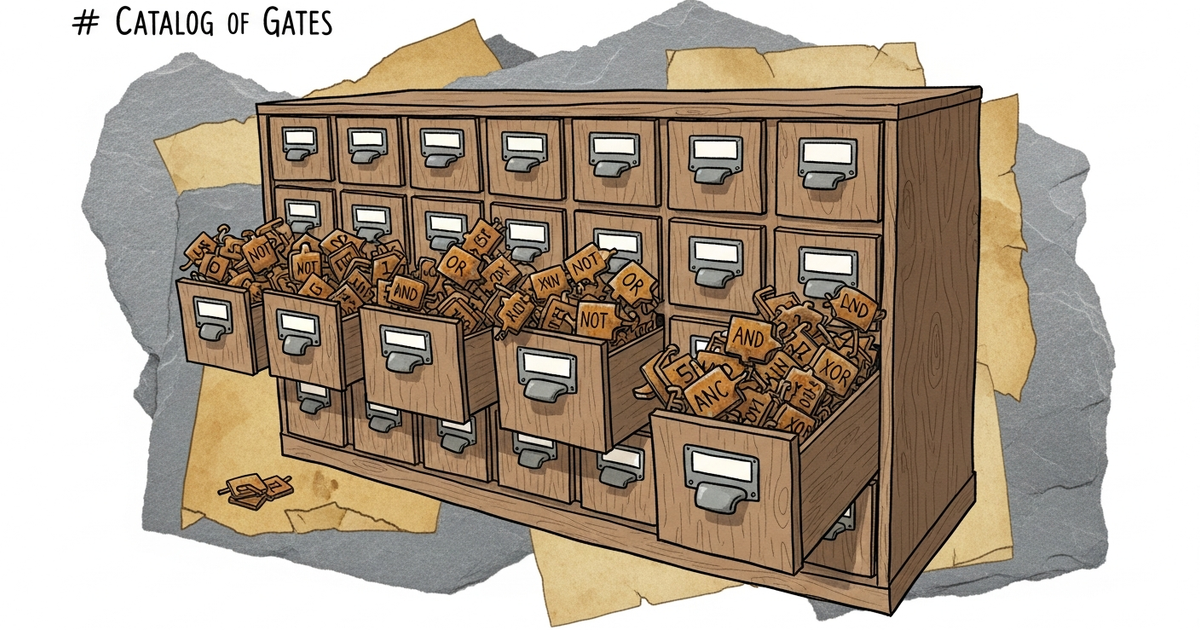
Understanding the inode is about understanding the difference between the content and the index. Disk space is the shelf space in the library; inodes are the index cards in the catalog. You can have miles of empty shelves, but if you run out of index cards, you can't officially "accept" a new book.
Keep an eye on your df -i, choose your filesystem based on your file count, and remember: sometimes the "space" you're missing isn't measured in gigabytes.