The Main Thread Is a Public Utility
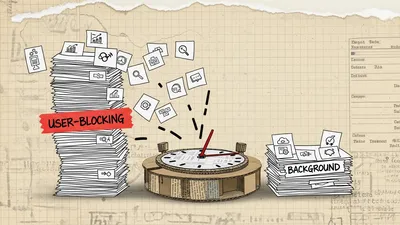
Stop monopolizing the event loop and start treating execution time as a shared resource by leveraging the native Priority Task Scheduling API.
For the longest time, I assumed that if my JavaScript was running, the browser was happy. I’d write a massive Array.map() or a complex data transformation and figure, "Well, the user has to wait for this data anyway, so I might as well get it done." I couldn't understand why, despite having a high-powered MacBook, my dropdown menus would freeze or my hover states would lag while that logic was executing. I was treated the main thread like a private highway I’d paid a toll for, when in reality, the main thread is a public utility—more like a city sidewalk that everyone, including the browser's own internal processes, has to share.
If you block that sidewalk with a giant shipping container of code, nobody else can get past. The user clicks a button, but the click event is stuck behind your data processing. The browser wants to paint a new frame, but it’s waiting on your loop. This isn't just a "performance" issue; it’s a fundamental misunderstanding of how the event loop manages resources.
The Tragedy of the Commons (on the Main Thread)
JavaScript is single-threaded. We all know this. But we often ignore the implication: every millisecond you spend executing code is a millisecond the browser cannot use to respond to the user.
The industry standard for a "Long Task" is anything over 50ms. Why 50ms? Because to maintain a smooth 60fps, the browser has 16.6ms per frame. If you want to respond to a user's input within 100ms (the threshold where lag becomes perceptible), you have to leave room for the browser to receive the input, schedule the task, and paint the result. If your task takes 300ms, you’ve just nuked the user experience for three full interaction windows.
We used to solve this with "yielding." You’ve probably seen the setTimeout(() => {}, 0) hack. It’s a way of saying, "I’ll step off the sidewalk for a second, let everyone else pass, and then get back in line."
function heavyTask() {
  for (let i = 0; i < 100000; i++) {
    process(i);
    if (i % 1000 === 0) {
      // Trying to be a good citizen
      setTimeout(() => {}, 0);
    }
  }
}
This is better than nothing, but it’s clumsy. setTimeout has a minimum delay (usually around 4ms), it doesn't communicate intent to the browser, and it throws your task to the very back of the task queue without any priority.
Enter the Priority Task Scheduling API
The Web is finally getting a native way to manage this: the scheduler object. Specifically, the scheduler.postTask() API. This isn't just another way to defer code; it’s a way to tell the browser *why* you are running code and how important it is relative to everything else.
Instead of treating every script as an emergency, we can now categorize our work into three distinct buckets:
1. `user-blocking`: Tasks that are critical to the immediate user experience (e.g., responding to a click, stopping a video).
2. `user-visible`: Tasks the user can see but aren't necessarily frame-critical (e.g., rendering a secondary list, fetching data for a visible component). This is the default.
3. `background`: Tasks that aren't time-sensitive (e.g., sending logs, pre-fetching data for the next page).
How to Yield Gracefully
The most powerful pattern I've adopted recently is the "yield" pattern using postTask. Instead of guessing when to stop, we can create a helper that yields the main thread back to the browser so it can handle pending inputs or animations.
First, let's look at the basic postTask syntax:
scheduler.postTask(() => {
  console.log("This runs with 'user-visible' priority by default");
}, { priority: 'background' });
But the real magic happens when we use it to break up long-running loops. Here is a pattern for a "yielding" function that checks if it's time to give the main thread a break.
async function processHugeDataset(data) {
  const threshold = 50; // ms
  let lastYieldTime = performance.now();

  for (let i = 0; i < data.length; i++) {
    // Do the heavy lifting
    expensiveCalculation(data[i]);

    // Check if we've been hogging the thread for too long
    if (performance.now() - lastYieldTime > threshold) {
      // Yield to the main thread!
      // We use 'user-visible' to ensure we get back to work quickly
      await scheduler.postTask(() => {}, { priority: 'user-visible' });
      lastYieldTime = performance.now();
    }
  }
}
In this example, we aren't just blindly calling setTimeout. We are monitoring our own execution time. If we’ve been running for 50ms, we pause, let the browser handle any clicks or scrolls that happened in the meantime, and then resume exactly where we left off.
Prioritizing the Critical Path
Consider a typical dashboard. You might have three things happening at once:
1. An analytics chart is being calculated.
2. A search results list is being filtered.
3. Telemetry logs are being sent to the server.
If these all fire at once, the search (which the user is actively typing into) will feel sluggish. By using the Priority Task Scheduling API, we can orchestrate this "public utility" efficiently.
// 1. High priority: Filter the search results immediately
scheduler.postTask(() => filterResults(query), {
  priority: 'user-blocking'
});

// 2. Medium priority: Calculate chart data
scheduler.postTask(() => computeChart(data), {
  priority: 'user-visible'
});

// 3. Low priority: Send logs
scheduler.postTask(() => sendTelemetry(), {
  priority: 'background'
});
The browser now has a roadmap. It knows that if a user hits a key, it should pause computeChart and sendTelemetry to make sure filterResults completes as fast as possible.
Handling "Stale" Tasks with AbortController
One of the biggest wastes of main thread time is finishing a task that the user no longer cares about. Imagine a user typing "React" into a search bar. If your code is busy filtering results for "Rea" when the user types "React", the "Rea" work is now garbage.
scheduler.postTask integrates natively with AbortController. This is a game changer for resource management.
let searchController = new AbortController();

async function handleSearch(query) {
  // Cancel any previous search tasks still in flight
  searchController.abort();
  searchController = new AbortController();

  try {
    await scheduler.postTask(() => {
      const results = performHeavyFilter(query);
      renderResults(results);
    }, {
      priority: 'user-visible',
      signal: searchController.signal
    });
  } catch (err) {
    if (err.name === 'AbortError') {
      console.log('Search task discarded—new input received.');
    }
  }
}
By passing a signal, the browser can completely strip the task from its internal queue if abort() is called. We aren't just yielding; we’re actively cleaning up after ourselves.
The "Is Input Pending" Conundrum
Some might point to navigator.scheduling.isInputPending(). It’s a great tool that allows you to check if there is a pending UI event before yielding. However, it's not a silver bullet. It doesn't account for browser-level tasks like rendering or garbage collection.
I prefer a hybrid approach. Yielding every 50ms is a safe "catch-all" for general health, but isInputPending can be used to yield *even sooner* if the user is active.
async function smartYieldLoop(items) {
  for (let i = 0; i < items.length; i++) {
    process(items[i]);

    // Yield if there is an actual click/key-press OR if 50ms passed
    const shouldYield = (navigator.scheduling?.isInputPending()) ||
                        (performance.now() - lastYield > 50);

    if (shouldYield) {
      await scheduler.postTask(() => {}, { priority: 'user-visible' });
      lastYield = performance.now();
    }
  }
}
When Not to Use This
I want to be clear: the scheduler API is for tasks that *must* happen on the main thread (usually because they touch the DOM or depend on main-thread-only state).
If you have a massive data transformation that doesn't touch the DOM, use a Web Worker. A Web Worker is your own private office. You can make as much noise as you want there without bothering the neighbors on the main thread. But Web Workers have an overhead (the cost of serializing and moving data back and forth), so for tasks that are "medium-sized," postTask is often the better, more ergonomic choice.
Progressive Hydration and the "Utility" Mindset
If you’re working on a large-scale SPA, you likely have a "boot" sequence where you initialize a bunch of services. Most devs do this:
function initApp() {
  setupAuth();
  setupAnalytics();
  initI18n();
  renderHeader();
  renderSidebar();
  renderFooter();
}
This is a classic "shipping container" block. The user sees a white screen until the whole thing is done. By viewing the main thread as a public utility, you’d rewrite this to allow the browser to breathe between each step:
async function initApp() {
  // Priority 1: Get the UI visible
  await scheduler.postTask(() => renderHeader(), { priority: 'user-blocking' });

  // Priority 2: Secondary UI
  scheduler.postTask(() => renderSidebar(), { priority: 'user-visible' });
  scheduler.postTask(() => renderFooter(), { priority: 'user-visible' });

  // Priority 3: Non-critical services
  scheduler.postTask(() => setupAuth(), { priority: 'background' });
  scheduler.postTask(() => setupAnalytics(), { priority: 'background' });
  scheduler.postTask(() => initI18n(), { priority: 'background' });
}
Now, the renderHeader task finishes, the browser paints the header, and *then* it moves on to the sidebar. If the user clicks a "Login" button in the header while the sidebar is rendering, the browser can prioritize that click because we've broken the work into discrete, prioritized chunks.
Browser Support and Polyfills
As of today, scheduler.postTask is well-supported in Chromium-based browsers (Chrome, Edge, Opera). Firefox and Safari are still lagging behind on native implementation.
Does that mean you shouldn't use it? Absolutely not. You can use a polyfill, or you can write a simple wrapper that falls back to setTimeout or requestIdleCallback.
const scheduleTask = (fn, priority = 'user-visible') => {
  if ('scheduler' in window) {
    return scheduler.postTask(fn, { priority });
  }

  // Fallback logic
  return new Promise((resolve) => {
    if (priority === 'background' && 'requestIdleCallback' in window) {
      requestIdleCallback(() => resolve(fn()));
    } else {
      setTimeout(() => resolve(fn()), 0);
    }
  });
};
The Philosophical Shift
The hardest part isn't learning the API. It’s changing the way you think about code execution.
We are taught to write "efficient" code, which usually means code that finishes as fast as possible. But on the main thread, "efficient" should mean "polite." A function that takes 100ms but blocks everything is less efficient for the *user* than a function that takes 120ms but yields every 20ms to keep the UI responsive.
Stop thinking about your app as the only thing running on the computer. You are a guest in the browser’s process. Your code is one of many things competing for that precious 16.6ms window.
When you start treating the main thread as a public utility, your apps stop feeling like a series of "loading" states and start feeling like living, breathing interfaces. Yield early, yield often, and stop monopolizing the event loop. Your users' frames-per-second will thank you.