Can the Scheduler API Finally Protect Your Main Thread From Death by a Thousand Microtasks?
Stop guessing when to yield and start using the browser's native priority queue to interleave heavy background work without dropping a single frame.
I used to think I was a performance wizard because I knew how to sprinkle setTimeout(0) throughout my long-running loops. I’d see a "Long Task" warning in the Chrome DevTools, feel a pang of guilt, and then "fix" it by deferring the next chunk of work to the end of the task queue. It felt like I was giving the browser room to breathe. In reality, I was just moving furniture around a burning room. I didn't actually understand the difference between the task queue and the microtask queue, and I certainly didn't realize that my "fixes" were often making the UI feel janky in ways I couldn't quite measure.
The browser's main thread is a single-threaded hostage situation. If you’re running a heavy data-processing script, the user can’t click, the gifs stop animating, and the scrollbar freezes. For years, we’ve hacked our way around this with requestIdleCallback (which is too unpredictable) or Web Workers (which are powerful but come with a heavy communication tax).
Enter the Prioritized Task Scheduling API. It’s the first time the browser has given us a native, intelligent way to say: "Hey, do this work, but if the user tries to click something, let them go first."
The Microtask Trap
Before we look at the solution, we have to look at why our current tools fail us. Most modern JavaScript relies on Promises. Promises use the Microtask Queue.
The microtask queue is dangerous because of one specific rule: the browser must exhaust the *entire* microtask queue before it can yield control back to the rendering engine or the event loop. If a microtask schedules another microtask, the browser will keep executing them forever, effectively locking the main thread. This is why a while(true) loop involving Promise.resolve() will still crash your tab, even though it's technically "asynchronous."
Standard tasks (like setTimeout) are different. The browser runs one, then checks if it needs to re-render. But setTimeout is a blunt instrument. It has a minimum delay (usually 4ms), and it has no concept of priority. You can't tell a setTimeout that it's more important than a background sync but less important than a button click.
Enter scheduler.postTask
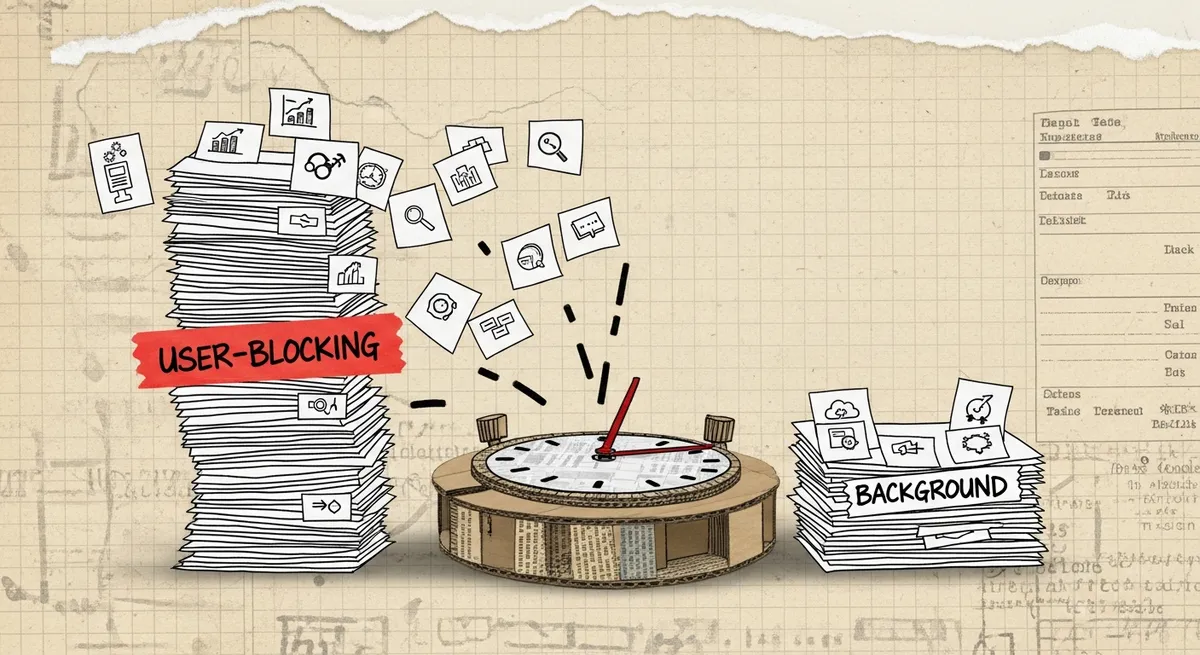
The Scheduler API (available on the window.scheduler object) changes the game by introducing a native priority queue. Instead of just throwing tasks into a generic bucket, we can now categorize them.
There are three main priorities:
1. `user-blocking`: Tasks that are critical to the user experience (e.g., responding to input, initial page load). These should run immediately.
2. `user-visible` (Default): Tasks that the user is aware of but aren't necessarily frame-critical (e.g., rendering a secondary list, fetching non-critical data).
3. `background`: Tasks that can happen whenever (e.g., logging, pre-fetching images for the next page).
Here is what a basic implementation looks like:
// A simple background task
scheduler.postTask(() => {
  console.log("Cleaning up local storage...");
  performCleanup();
}, { priority: 'background' });

// A critical UI task
scheduler.postTask(() => {
  renderUrgentUpdate();
}, { priority: 'user-blocking' });
The magic here isn't just the labels. It's that the browser's engine can now interleave these tasks intelligently. If a background task is running and a user-blocking task comes in, the browser can prioritize the latter as soon as the current task finishes.
The Art of Yielding
The real "death by a thousand microtasks" happens when you have a massive array of data to process. Let’s say you have 10,000 records to filter and display. If you do it all in one go, the main thread dies for 500ms. If you use setTimeout, you introduce a 4ms gap between every single item, making the total process take way longer than it should.
The new scheduler.yield() (currently rolling out and polyfillable) is the elegant solution. It allows you to pause your execution, let the browser handle pending inputs or paints, and then resume exactly where you left off.
Here is a practical example of a heavy data processor that stays responsive:
async function processLargeDataset(items) {
  const results = [];

  for (let i = 0; i < items.length; i++) {
    // Do the heavy lifting
    results.push(heavyTransform(items[i]));

    // Every 50 items, check if we should yield to the main thread
    if (i % 50 === 0) {
      // This is the "magic" line.
      // It pauses execution to let the browser paint or handle clicks.
      await scheduler.yield();
    }
  }

  return results;
}
Wait, why did I choose 50 items? In the past, this was guesswork. With scheduler.yield(), the browser is smart. If there’s no pending user input, yielding is incredibly fast. If the user *is* clicking or scrolling, the yield takes just long enough to handle that input. It effectively turns your long task into a series of "chunks" that are just the right size.
Dynamic Priority and AbortSignals
One of the most frustrating things about setTimeout or requestAnimationFrame is trying to cancel them. You have to keep track of IDs and manually clear them.
The Scheduler API integrates natively with AbortController. This is huge for React or Vue components that might unmount while a background task is still running.
const controller = new AbortController();

scheduler.postTask(async () => {
  for (const chunk of massiveData) {
    if (controller.signal.aborted) return;

    process(chunk);
    await scheduler.yield();
  }
}, { signal: controller.signal, priority: 'background' });

// Later, if the user navigates away:
// controller.abort();
But it goes a step further. You can actually change the priority of a task *while it is still in the queue*. Imagine a scenario where you're pre-loading a video in the background. If the user suddenly clicks "Play," you want that task to jump to the front of the line.
const controller = new TaskController({ priority: 'background' });

scheduler.postTask(() => fetchVideoAssets(), { signal: controller.signal });

// User clicks play!
controller.setPriority('user-blocking');
Why Not Just Use Web Workers?
I get asked this a lot. "If the work is heavy, shouldn't it be off-main-thread entirely?"
Ideally, yes. But Web Workers have three major friction points:
1. Serialization overhead: Moving large objects back and forth via postMessage requires structured cloning, which can sometimes be slower than the processing itself.
2. No DOM access: Workers can't touch the UI. If your "heavy work" involves calculating layout or manipulating complex DOM structures, a Worker won't help.
3. Complexity: Setting up a worker, handling the lifecycle, and managing the build step (though easier now with Vite/Webpack) is still a lot of boilerplate.
The Scheduler API is for the "in-between" work. It’s for the tasks that need access to your main-thread state but are just a bit too heavy to run in a single synchronous block.
A Real-World Performance Comparison
Let's look at a "Search-as-you-type" component.
The Bad Way (Synchronous)
User types "A". The app filters 20,000 items. The main thread freezes for 200ms. The user types "B", but the input field doesn't update until the first filter is done. The result is "jank"—the feeling that the app is stuck in the mud.
The Better Way (Scheduler)
User types "A". We schedule a user-visible task to filter the list. Because we use scheduler.yield(), the browser can still acknowledge the user's "B" keystroke in the middle of the filtering.
// The modern responsive filter
async function handleSearch(query) {
  // If a search is already running, abort it
  if (currentSearchController) {
    currentSearchController.abort();
  }

  currentSearchController = new TaskController({ priority: 'user-visible' });

  try {
    await scheduler.postTask(async () => {
      const filtered = [];
      for (let i = 0; i < bigList.length; i++) {
        if (bigList[i].includes(query)) {
          filtered.push(bigList[i]);
        }

        // Yield every 100 items to keep the input field snappy
        if (i % 100 === 0) await scheduler.yield();
      }
      renderResults(filtered);
    }, { signal: currentSearchController.signal });
  } catch (err) {
    if (err.name === 'AbortError') return;
    console.error(err);
  }
}
In this version, the input field stays responsive. The user sees their letters appearing in real-time, and the search results catch up a few milliseconds later. This is the difference between an app that feels "broken" and one that feels "fast," even if the total work done is exactly the same.
The Gotchas: What to Watch Out For
As much as I love this API, it isn't a magic wand. There are a few things that tripped me up when I first started using it.
1. The "Yield" Implementation Gap
The scheduler.yield() method is the newest part of the spec. While postTask has decent support (Chrome, Edge, and recently Safari), yield is still being refined. However, you can write a simple fallback that uses postTask to simulate a yield:
async function smartYield() {
  if (globalThis.scheduler?.yield) {
    return await scheduler.yield();
  }
  // Fallback: Use postTask to continue at the same priority
  return new Promise(resolve => {
    scheduler.postTask(resolve, { priority: 'user-visible' });
  });
}
2. Over-yielding
Yielding isn't free. Each yield involves a trip through the event loop. If you yield after every single addition in a loop of 1,000,000 items, your code will run significantly slower. You need to find a balance—usually yielding every 5ms to 10ms of execution time is the "sweet spot" for maintaining 60fps.
3. Microtasks Still Win
If your postTask code contains a bunch of await calls for regular Promises (like fetch), those await continuations are still microtasks. The Scheduler API manages the *entry point* and the *yield points*, but it doesn't fundamentally change how Promises work. If you have a while loop with no await scheduler.yield(), you will still block the thread.
The Future of Main Thread Management
For a long time, the browser was a black box. We threw code at it and hoped the engine was smart enough to figure out what was important. The Scheduler API represents a shift toward a more collaborative relationship between the developer and the engine.
If you are building complex SPAs, data-heavy dashboards, or interactive editors, stop guessing when to use setTimeout or requestIdleCallback. Start treating your tasks as a prioritized queue. Your users' CPUs (and their battery life) will thank you.
The goal isn't just to make the code run fast; it's to make the app feel *alive*. By respecting the main thread and yielding control back to the user, we move away from "Death by a Thousand Microtasks" and toward a web that actually reacts when we touch it.